
The Encode function allows you to create a user-defined Tag ID into a single RFID tag.
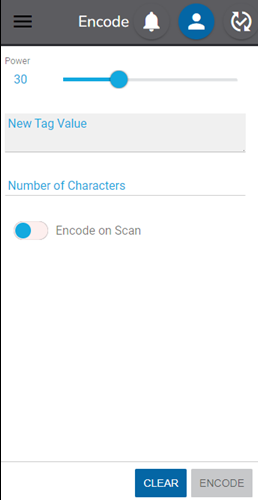
The power setting on the reader will increase or decrease the read range. To change the power settings, move the slider to the desired setting. For encoding, the range should be as minimal as possible to avoid reading multiple tags.
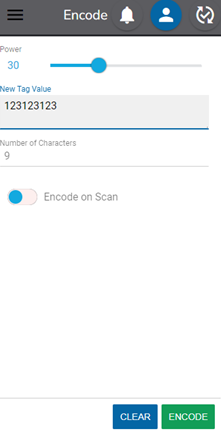
Type the desired tag value in the New Tag Value text box, hold the mobile RFID reader over the tag and click Encode.
The Tag ID must be in valid HEX (characters 0-9 and A-F). For more details, see the Overview section of this document.
Toggle on the Encode on Scan option to automatically encode a tag after reading a barcode.
Once Encode is clicked, possible messages include:
- Success: Encoded!
- Fail: Multiple Tags in Range – To address this, reduce power or move away from other tags.
- Fail: No Tag Found – To address this, increase power or move closer.
- Fail: Encoding Error – In this instance, the tag may be damaged or may not be able to be encoded with as many characters as were entered.
*Tags encoded from this screen will have the prefix defined in Default Reader Settings from the web application.