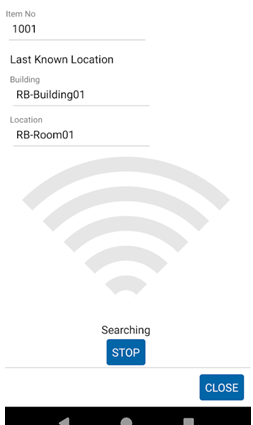
The Find function is helpful when a tag with a known Item Number or round-about location needs to be homed in on with RFID.
Enter the Tag ID of the item you need to locate or enter Location Details of the item.
Tip: Although you may not know the exact location details at this point, knowing at least the last known Company or Building of the item can increase your chances of finding the item.
Entering the Tag ID and/or Location Details will automatically populate the grid with Items filtered to your search.
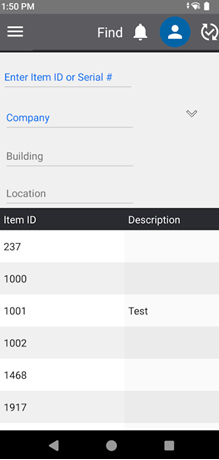
To begin searching for a tag, click on it from the grid and move the reader slowly through the area. As you move closer to the tag, the visual display will show more bars and the beeping sound on the device will speed up.