
RedBeam users can update multiple Item Details for multiple Items simultaneously with the Mass Update feature.
The RFID Power slider allows users to decrease the read range of the mobile RFID reader if necessary.
Then click the Blue Plus Button to select the field values to update.
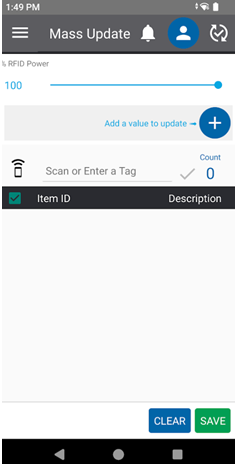
The system will continue to add newly found tags if the trigger is pulled. The Item ID & Tag ID of the item will be displayed.
To clear all items, click ( )
)
To save the location updates, click ( )
)
To select a specific item or items, click on the checkboxes next to each item.
To locate a specific item, select the Item and click Locate.